A keynote lasts an hour, but it should keep working for months: as a full recording for attendees, as clips for LinkedIn, as a highlight film for next year's promotion. This guide shows how cameras, sound, slides and rights fit together.
All prices plus VAT · delivered within 24 hours · See all packages & details
The most important decision comes before the first cable is laid: what should exist at the end? Camera count, audio routing and editing time all follow from that. Typical versions are:
Put this list into the brief together with the programme, rooms and times. The production team can then plan which talks are recorded in full and where excerpts for clips and the highlight film are enough. With parallel sessions in several rooms this choice matters even more, because not every room needs its own crew. If head office abroad or partners in other markets will watch the talks, add the languages they need to the brief as well.
| Setup | Good for | Limits |
|---|---|---|
| 1 camera | an archive recording of a single talk | hardly any editing possible, looks static quickly |
| 2 cameras | keynotes and technical talks: a wide shot plus a close-up of the speaker | no audience or reactions |
| 3 cameras | panels, discussions, highlight films: adds the audience, a second speaker or a side angle | more work in setup and edit |
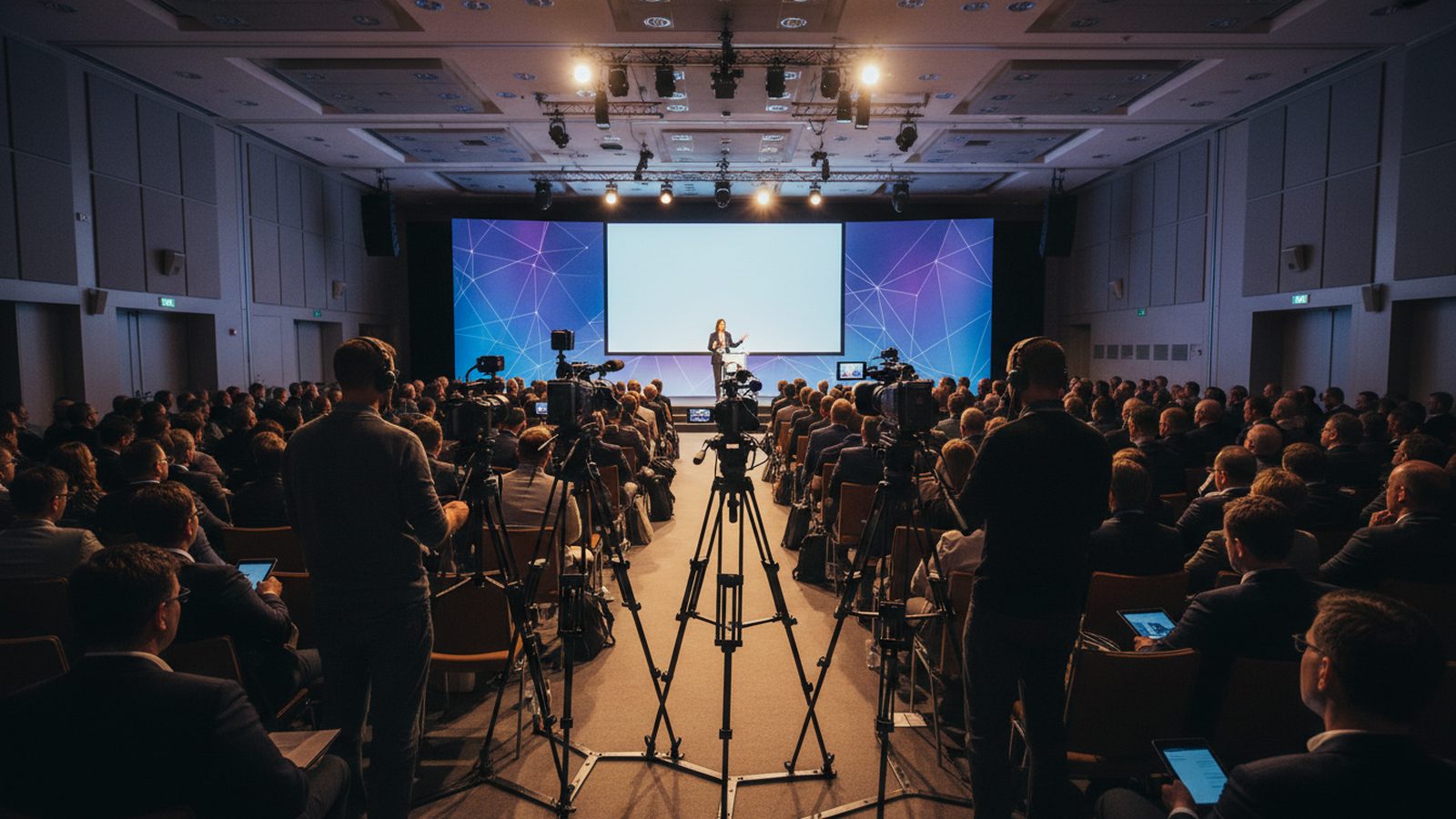
The wide camera usually sits centrally at the back on a raised platform, so no heads from the audience cut into the frame. The close-up camera goes off to one side, so the speaker looks slightly towards it. Agree positions with the venue: cameras must not block the audience's view, and cable runs and escape routes stay clear.
LED walls and projections behind the stage need special attention. They are often much brighter than the speaker and can flicker on camera. Our guide to photographing screens and LED walls explains why.
Viewers forgive a slightly shaky picture, but not bad sound. For conferences, this approach works:
Book time with the sound engineer the day before or ahead of the first session to test connections and levels. Without that test, a problem often only shows up in the edit, when it is too late to fix.
Slides are often unreadable in the camera image. It is better to record the presentation laptop's signal directly or to get the slide files and insert them in the edit. Raise this with speakers early, because some slides contain confidential figures or third-party images that must not be published.
To publish a recording you need the speakers' agreement, ideally written into the speaker contract with clear terms on channels and duration. Attendees should be told at registration and at the entrance that the event is being recorded. Anyone who asks a question becomes part of the recording, and the moderator should say so. Our guide to consent for on-stand interviews covers the paperwork.
Walk-in and break music is often not licensed for online use. Cut it or replace it in the edit.
Not every version needs the same effort or the same speed. A sensible order:
If you also want to stream live, plan it as a separate job with its own line, direction and test run, because a live stream changes camera positions, staffing and the running order. The recording for later use stays important either way. See live streaming from the stand for the technical side.
Pixer records conferences, keynotes and stage programmes with several cameras, including talks on a trade fair stage or on your own stand (booth). We deliver the highlight film and first clips within 24 hours after the event ends, with subtitles available in English, German, Arabic and Persian. How the full-length recordings are edited and delivered is set out in our quote before the event.
Full recordings, highlight film, clips: the output decides cameras and effort.
Wide shot plus close-up. Add a third for panels and highlight films.
Record the mixing desk feed directly and run a second source as backup.
Record the laptop signal or insert slide files instead of filming the screen.
Speaker agreement, notice to attendees, no unlicensed music.
Highlight film and clips within 24 hours, full recordings after that.
Two are usually enough for keynotes and technical talks: a wide shot and a close-up of the speaker. For panels, discussions and a highlight film, a third camera for the audience and a second angle is worth it.
Yes, that is the best route. The mixing desk feed is recorded directly. Agree connections and levels with the sound engineer in advance and plan a second source as backup.
Most cleanly via the presentation laptop's signal or the slide file, inserted in the edit. A filmed projection screen is often too bright or soft.
To publish, yes. Cover recording, channels and duration in the speaker agreement and check confidential slides beforehand.
Pixer delivers the highlight film and first clips within 24 hours after the event ends. For the full-length recordings, we set the schedule in the quote, depending on the number and length of talks.
Streaming is a separate job that needs a stable line, direction and a test run. Plan it early with the venue and the technical provider responsible, because it changes camera positions and the running order.
Planning a conference, a keynote or a stage programme at a trade fair? Send us the programme, the rooms and the versions you need, and we will propose a camera and sound setup.
We reply within 24 hours. During a show week, WhatsApp is fastest.